


In today’s digital age, a solid home networking setup is as essential as a good cup of coffee—without it, chaos reigns. Imagine buffering during your favorite show or losing connection right when you’re about to crush that online game. It’s enough to make anyone want to throw their router out the window!
Understanding Home Networking Setup
A reliable home networking setup plays a crucial role in maintaining connectivity for various devices. Connections support everyday tasks like streaming, gaming, and working from home, enhancing the overall user experience.
Importance of Home Networking
Home networking provides stable connections, ensuring seamless internet access. Users experience reduced buffering during video streaming and minimal lag during online gaming. A strong network supports multiple devices simultaneously, making it ideal for families with varied internet demands. Network reliability also fosters secure data exchange, essential for sensitive activities like online banking. Home networking significantly enhances productivity and entertainment, making it vital for modern households.
Common Networking Terms
Familiarity with key networking terms simplifies understanding and setup. Router acts as the control center, connecting devices to the internet. Modem serves as a bridge between the internet service provider and the router. Bandwidth refers to the maximum data transfer rate, affecting overall speed and performance. SSID identifies the network name, allowing users to connect their devices. IP address is a unique identifier for each device on the network. Understanding these terms equips users to troubleshoot and optimize their home networking setups efficiently.
Types of Home Networks
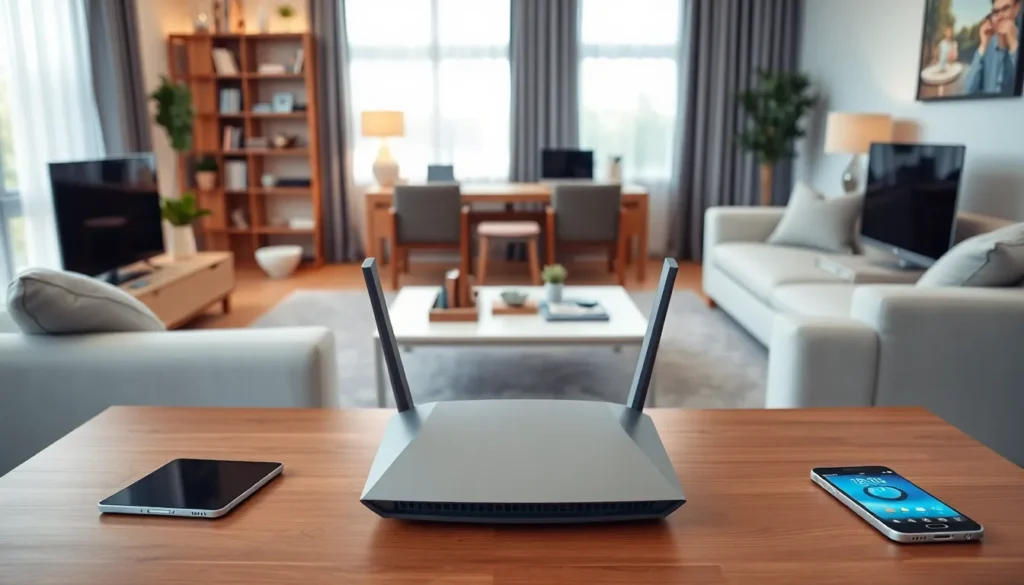
Home networks generally fall into two categories: wired and wireless. Each type serves distinct purposes and suits different user needs.
Wired Networks
Wired networks provide strong, stable connections. Ethernet cables connect devices directly to the router or modem, which enhances speed and reliability. Many users prefer these setups for gaming or streaming, where latency can disrupt the experience. Installing this type of network often requires running cables through walls or ceilings. Despite the initial effort, the performance benefits justify the work, particularly for households with high bandwidth demands.
Wireless Networks
Wireless networks offer flexibility and convenience. Devices connect via Wi-Fi, eliminating the need for physical cables. This type appeals to users who value mobility and ease of access. Wi-Fi technology supports multiple devices simultaneously, facilitating activities like video calls, online gaming, and browsing. Ensuring strong signal coverage might involve strategic router placement or adding extenders, especially in larger homes. Users appreciate the lack of clutter, showcasing a clean aesthetic without sacrificing connectivity.
Essential Equipment for Home Networking
A robust home networking setup relies on several key pieces of equipment. Understanding their roles helps optimize performance and connectivity.
Routers
Routers serve as the central hub for home networks, directing data between devices and the internet. They manage traffic and ensure devices communicate efficiently. Many models offer advanced features like dual-band frequencies, which enhance connectivity for multiple devices. Additional security protocols, such as WPA3, protect network integrity against unauthorized access. When selecting a router, consider factors like range, speed, and the number of devices supported. Installing the router in a central location maximizes coverage throughout the home.
Switches
Switches expand network capabilities by connecting multiple wired devices. Unlike routers, these devices work within local networks, facilitating communication without internet access. Ethernet cables connect each device directly to the switch, ensuring optimal speed and reliability. Businesses often use switches for extensive networks, but they’re advantageous in homes with multiple gaming consoles or smart TVs. Managed switches offer additional customization features, allowing users to control traffic and prioritize bandwidth allocation.
Access Points
Access points extend the wireless network range, ensuring devices in larger homes maintain a strong signal. They connect to the main router via Ethernet cables, allowing them to transmit Wi-Fi signals across vast areas. Users benefit from improved connectivity in hard-to-reach spaces, such as basements or attics. Investing in high-quality access points enhances streaming, gaming, and other bandwidth-heavy activities. When clustering several access points, ensuring proper placement mitigates dead zones while optimizing overall performance.
Steps to Set Up Your Home Network
Setting up a home network involves careful planning and execution. Each step contributes to enhanced connectivity and performance.
Planning Your Network Layout
Creating a layout maps out device placement and interconnectivity. Identify key areas in your home where internet access is essential, like living rooms and home offices. Prioritize maintaining a strong signal in high-usage zones. Place the router in a central location to optimize coverage. Consider physical barriers like walls and floors since they can weaken signals. Use a floor plan to sketch out distances between devices and the router. Ensure that any switches or extenders you plan to add fit logically into your layout.
Configuring the Router
Configuring the router is a crucial step in ensuring network effectiveness. Connect the router to the modem using an Ethernet cable for a reliable connection. Log into the router’s admin panel through a web browser, using the IP address provided in the manual. Customize the network name (SSID) and password to enhance security. Choose WPA3 as the security protocol if available. Adjust settings like DHCP to manage IP address distribution effectively. Save changes and reboot the router for the new configurations to take effect. Testing the connection speed after configuration helps in identifying potential issues.
Connecting Devices
Connecting devices to the network enhances overall usability. Begin by linking stationary devices, such as desktops and gaming consoles, via Ethernet cables for optimal speed. For laptops, smartphones, and other portable devices, connect through Wi-Fi. Access the device’s Wi-Fi settings and select the established network, entering the previously set password. Prioritize connecting higher bandwidth devices first, ensuring that they benefit from the most stable connections. Utilize the router’s admin panel to track connected devices and manage bandwidth allocation as needed. Regularly update device firmware to maintain security and performance.
Troubleshooting Common Networking Issues
Network issues can disrupt daily activities, causing frustration for users. Identifying and resolving these problems ensures a smooth online experience.
Slow Internet Speeds
Slow internet speeds often stem from various factors. Users may experience lag during streaming or gaming, making it essential to diagnose the root cause. First, check the router’s placement; obstacles like walls or furniture can weaken the signal. Next, consider the number of devices connected to the network; too many devices can consume bandwidth, leading to slow speeds. Additionally, the data plan from the Internet Service Provider may not meet the household’s needs. Running a speed test helps determine actual speed versus expected speed. Upgrading the router to a model that supports higher speeds and modern standards can also enhance performance.
Connectivity Problems
Connectivity problems frequently arise from improper setup or interference. Users might find devices disconnecting frequently, causing disruption. Restarting the router often resolves temporary connection issues. Ensuring that the router firmware is up to date is crucial for optimal performance. Checking for competing networks in the area can also help; if multiple networks use the same channel, interference occurs. Adjusting the Wi-Fi channel in the router settings may significantly improve connectivity. Moreover, ensuring devices are within range of the router mitigates dead zones. For additional coverage, users can consider installing Wi-Fi extenders to enhance signal strength throughout the home.
A well-designed home networking setup is essential for today’s digital lifestyle. It not only enhances connectivity but also ensures that all devices function smoothly without interruptions. By understanding the differences between wired and wireless networks and selecting the right equipment, users can create a setup tailored to their needs.
Regular maintenance and troubleshooting are key to sustaining a reliable network. With the right approach, families can enjoy seamless streaming, gaming, and remote work experiences. Investing time in optimizing a home network pays off in improved performance and security, making it a vital component of modern living.

