


In today’s digital age, a reliable home network isn’t just a luxury; it’s a necessity. Whether streaming the latest binge-worthy series or working from home, a strong connection keeps everything running smoothly. But let’s face it—setting up a home network can feel like trying to solve a Rubik’s cube blindfolded.
Understanding Home Networking
Home networking connects various devices to share resources and access the internet, ensuring seamless online experiences. A well-configured network provides reliability and speed for multiple users and devices simultaneously.
What Is Home Networking?
Home networking consists of interlinked devices, including routers, switches, and connected devices like computers and smart appliances. This network enables communication among devices while facilitating internet access. Home networks can be wired, using Ethernet cables, or wireless, employing Wi-Fi signals. Most homes utilize a combination of both methods to enhance connectivity and coverage.
Benefits of a Solid Home Network
A solid home network supports multiple activities without lag, making streaming videos and online gaming more enjoyable. Enhanced security features protect personal information from cyber threats. Increased bandwidth allows seamless functionality across numerous devices. Additionally, smart home devices benefit significantly from stable connections, creating a more integrated living environment. Cost savings arise from centralized device management, which reduces the need for separate internet connections in different areas. A robust home network ultimately elevates the overall digital experience.
Components of a Home Network
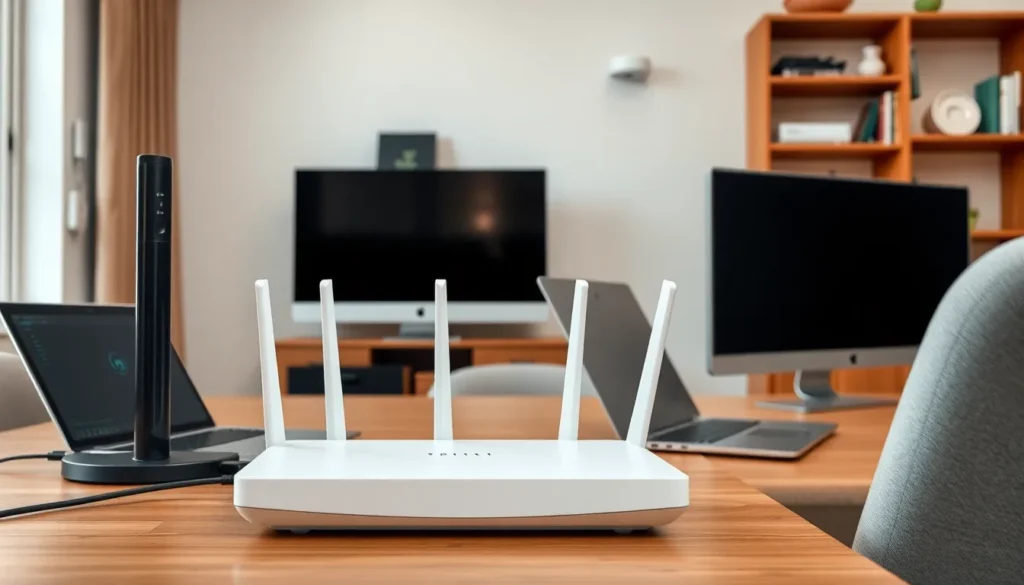
A reliable home network consists of several key components that work together to provide connectivity and efficient resource sharing. Understanding these components ensures effective setup and enhanced functionality.
Modems and Routers
Modems serve as the gateway to the internet, connecting a home network to the service provider. Routers distribute the internet connection to multiple devices, enabling both wired and wireless access. Many users opt for combination devices, which integrate modems and routers into one unit. These devices facilitate seamless streaming, online gaming, and remote work by managing data flow efficiently. Both modems and routers need to support the latest standards for optimal performance. Popular choices include DOCSIS 3.1 modems and Wi-Fi 6 routers, which offer enhanced speed and improved coverage.
Switches and Access Points
Switches expand a home network’s capacity by connecting multiple wired devices, such as computers and printers. This enables efficient data transmission among interconnected devices, reducing bottlenecks. Access points extend wireless coverage, allowing devices further from the router to maintain strong connections. Mesh network systems can integrate multiple access points to create a blanket of coverage throughout a home. By enhancing the network’s range and devices’ connectivity, switches and access points also support smart home devices, ensuring each component communicates effectively within the network.
Designing Your Home Network
Designing a home network requires careful planning to meet specific digital needs. Assessing the requirements ensures optimal performance and coverage across all devices.
Assessing Your Needs
Identify the number of devices that will connect to the network. Laptops, smartphones, tablets, smart TVs, and gaming consoles all require bandwidth for smooth operation. Evaluate daily activities such as streaming, gaming, and remote work as these influence network demands. Check the internet speed provided by the service provider; this impacts overall network performance. Determine if additional features, like guest access or smart home integration, enhance usability. Understanding these needs provides a clear direction for selecting the right equipment.
Choosing the Right Setup
Choose between wired and wireless configurations based on the layout and device placement. Wired setups offer stability and speed, making them ideal for devices that require consistent connections. In contrast, wireless setups deliver flexibility and convenience, suitable for mobile devices throughout the home. Consider using a combination of both for the best results. Select a router with sufficient range and capabilities to handle multiple connections simultaneously. For larger homes, mesh Wi-Fi systems extend coverage effectively, ensuring no dead zones exist. Ensuring compatibility between components maximizes network efficiency and overall performance.
Setting Up Your Home Network
Setting up a home network involves several well-defined steps and configurations. A systematic approach ensures an effective connection for multiple devices.
Installation Steps
- Locate the modem near the internet source.
- Connect the modem to the wall jack using a coaxial or phone cable.
- Attach the modem to the router via an Ethernet cable.
- Plug in the router to a power source.
- Turn on both devices and wait for them to boot up.
- Connect a device to the router using another Ethernet cable or via Wi-Fi.
- Verify the internet connection by browsing a website.
Following these steps establishes the foundational network that supports devices throughout the home.
Configuring Your Devices
First, access the router’s web interface using a web browser. Next, enter the router’s IP address typically found in the manual. Change the default username and password for security. Set the Wi-Fi network name (SSID) and create a strong password. Enable WPA3 or WPA2 encryption for better security. Furthermore, adjust settings based on specific needs, such as guest networks or parental controls.
Lastly, consider regularly updating router firmware to maintain security and performance. This setup maximizes the home network’s efficiency and safety.
Troubleshooting Common Issues
Home network issues can disrupt daily activities, making troubleshooting essential. Identifying and resolving problems efficiently ensures a seamless online experience.
Connectivity Problems
Connectivity issues often stem from weak signals or incorrect configurations. Users frequently experience dropped connections, which can be caused by interference from walls or appliances. Checking the modem and router placement helps mitigate this. Restarting these devices often resolves temporary glitches. Employing an Ethernet cable for direct connections provides stability. Additionally, verifying that devices are connected to the correct network can eliminate connection confusion. Sometimes, resetting the router to factory settings may be necessary if persistent issues arise.
Performance Issues
Performance issues can lead to frustrating experiences like slow internet speeds. Bandwidth limitations during peak usage hours commonly affect multiple devices connected simultaneously. Users often discover that outdated hardware hinders speed and functionality. Ensuring that router firmware is up-to-date can enhance performance. Testing internet speed through reliable websites helps gauge actual performance versus what is provided by the ISP. Upgrading to a router with advanced features can significantly improve network performance. Configuring Quality of Service (QoS) settings prioritizes essential tasks, ensuring critical applications receive adequate bandwidth.
Establishing a reliable home network is essential for navigating today’s digital landscape. With the right setup and understanding of key components, anyone can enhance their online experience. By carefully assessing individual needs and implementing effective strategies, users can ensure their networks support everything from streaming to remote work seamlessly.
Regular maintenance and troubleshooting further contribute to a robust network, allowing for optimal performance. As technology continues to evolve, staying informed about advancements in home networking will empower users to make the most of their connected devices. A well-designed home network not only enhances convenience but also secures users’ digital environments, paving the way for a smarter home.

