


In the ever-evolving world of 3D printing, choosing the right software can feel like finding a needle in a haystack—if the haystack were made of tangled wires and broken dreams. Fear not, aspiring makers! The right software can turn your wildest ideas into tangible masterpieces faster than you can say “extruder.”
From intuitive design tools to powerful slicers, the options are as varied as the colors of filament available. Whether you’re a seasoned pro or just dipping your toes into the 3D printing pool, knowing what software to use can save you time and headaches. Let’s dive into the top contenders that’ll help you unleash your creativity and maybe even impress your friends—who knew you could print a life-sized replica of a T-Rex in your living room?
Overview of 3D Printing Software
3D printing software plays a crucial role in the transition from digital designs to tangible objects. Designers often rely on two main types of software: modeling tools and slicing software. Modeling tools, such as Tinkercad and Blender, enable users to create intricate designs and prototypes. Slicing software, including Cura and PrusaSlicer, prepares these designs for printing by converting 3D models into instructions that printers can understand.
Selecting the right modeling tool depends on the user’s skill level and the complexity of the project. Beginners may find Tinkercad user-friendly due to its intuitive interface, while advanced users might prefer Blender for its extensive features. Both provide essential capabilities for generating high-quality 3D models.
Utilization of slicing software is equally important. Precision in layer height, fill density, and support material directly influences print quality. Cura is widely used for its versatility and extensive configuration options, making it suitable for various printer models. Furthermore, PrusaSlicer offers specific enhancements for users of Prusa printers, optimizing the printing process.
Complementary software also enhances the overall 3D printing experience. Consider programs like Meshmixer for mesh repair or Simplify3D for advanced slicing features. Each additional tool contributes to improved workflows and broader creative possibilities.
Accessing free and premium software options fulfills diverse user needs. Beginners may explore free software before investing in premium programs. Savvy users frequently experiment with different applications to find the perfect combination for their specific projects. Understanding these software options empowers designers to maximize their 3D printing potential.
Types of Software for 3D Printing
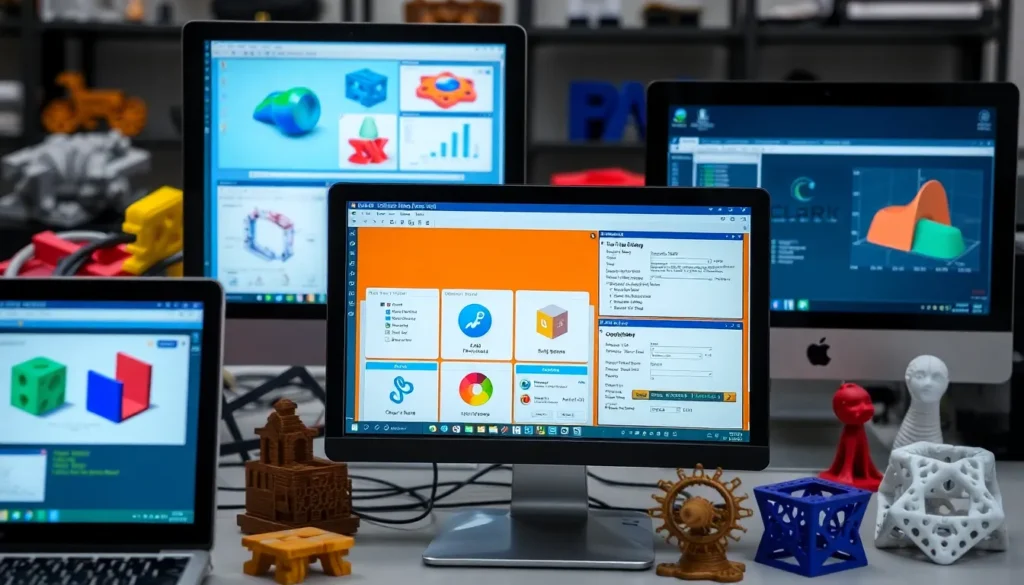
Navigating the world of 3D printing software involves understanding various types designed for specific purposes.
CAD Software
CAD software enables users to create and modify 3D models. Tinkercad simplifies design creation with its intuitive interface, appealing to beginners. Blender provides advanced features for experienced designers, offering extensive customization. Fusion 360 stands out for its parametric modeling capabilities, suitable for engineering and product design. SketchUp serves those needing straightforward modeling tools for architectural projects. Each software type caters to different skill levels and project complexities, ensuring users can select based on their needs.
Slicing Software
Slicing software converts 3D models into printer-readable G-code. Cura, known for its user-friendly interface, allows users to adjust parameters like layer height and fill density, impacting print quality. PrusaSlicer is optimized for Prusa printers, offering features tailored to enhance reliability. Repetier-Host combines multiple functionalities into one platform, catering to experienced users who require advanced control. Simplify3D shares the ability to customize support structures, adding flexibility for intricate designs. Various options ensure that users can find the perfect slicer for their specific 3D printing projects.
Firmware
Firmware is crucial for connecting 3D printers with slicing software. Marlin firmware provides versatility and is widely adopted across many printer models. It offers customizable settings to adjust print speed, temperature, and more. Smoothieware appeals to those looking for advanced control and features, enhancing the printing experience. Klipper firmware optimizes printer performance, boosting speed and accuracy, appealing to tech-savvy users. Each firmware option directly influences the printer’s operation, impacting print quality and overall performance.
Popular Software Options
Exploring software for 3D printing introduces various effective tools tailored for different user needs. Below are three prominent options that stand out in the software landscape.
Tinkercad
Tinkercad represents an intuitive tool for beginners. It offers a straightforward interface that simplifies the design process, making it accessible for users unfamiliar with complex modeling software. Users can leverage its drag-and-drop functionality to create 3D models quickly. Online accessibility allows for easy collaboration and sharing of projects. Tinkercad also supports exporting designs in multiple formats, ensuring compatibility with various slicing software. This feature enhances its utility for schools and hobbyists embarking on their 3D printing journey.
Fusion 360
Fusion 360 caters to more advanced users, boasting features that support parametric modeling and simulations. This software integrates CAD, CAM, and CAE, enabling comprehensive design processes within a single platform. A cloud-based architecture makes collaboration and accessibility seamless. Engineers and designers can create complex assemblies or detailed parts, making Fusion 360 suitable for professional applications. Moreover, its built-in tools for simulation help anticipate potential issues in designs before printing, leading to improved accuracy in the final product.
Cura
Cura stands out as a leading slicing software known for its versatility. It allows users to customize print settings, optimizing layer heights and fill densities for various materials. A visually appealing interface simplifies navigation for both beginners and experienced users. Cura supports multiple printer brands, making it a popular choice within the 3D printing community. Users appreciate its regularly updated features and active online community, providing ample resources for troubleshooting and sharing tips. The software translates complex 3D models into precise printer-readable instructions, ensuring high-quality prints.
Choosing the Right Software
Selecting the right software for 3D printing involves assessing specific needs and preferences. Various factors influence the choice, including user experience level and project requirements.
Factors to Consider
Quality of the 3D model plays a crucial role in the printing process. Users must consider compatibility with their 3D printer, ensuring the software outputs in the appropriate format. The type of projects influences the choice as well; intricate designs may require advanced CAD software, while simpler projects could benefit from user-friendly modeling tools. Cost remains another significant factor since both free and premium options are available. Additionally, support and community resources enhance the software experience, providing troubleshooting guidance and creative inspiration.
User Experience Level
Beginner users benefit from intuitive software selections like Tinkercad, allowing straightforward navigation. More experienced users often prefer advanced programs such as Blender or Fusion 360, which offer in-depth modeling capabilities. Each user’s proficiency shapes the software choice, ensuring tools align with skills. Newcomers may find slicing programs like Cura accessible, with ample tutorials for guidance. Advanced users might favor options like PrusaSlicer for specific printer compatibility, enhancing print quality. Ultimately, selecting tools that match experience levels fosters creativity and project success.
Choosing the right software for 3D printing is essential for transforming creative visions into reality. With a variety of options available from beginner-friendly tools to advanced modeling software, users can find the perfect fit for their skill level and project complexity.
Slicing software plays a crucial role in ensuring print quality and efficiency. Experimenting with different applications allows users to discover what works best for their needs. By aligning software choices with personal preferences and project goals, anyone can enhance their 3D printing experience and unlock new creative possibilities.

